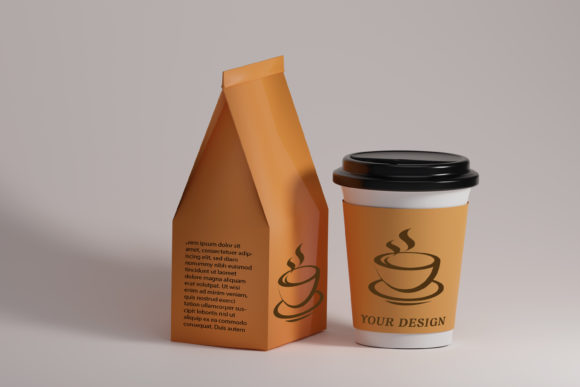
Cup and Paper Coffee Bags Mockup: Elevate Your Design Presentation
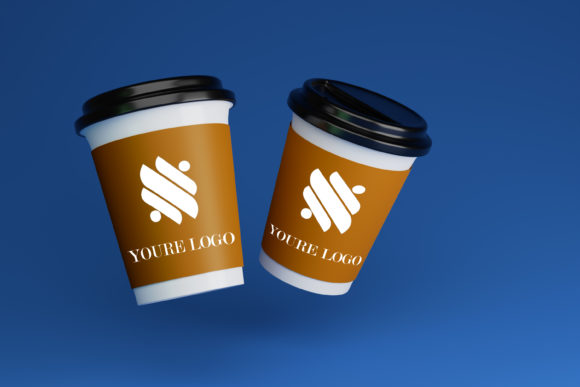
Imagine showcasing your latest coffee brand packaging not as a flat design file, but as a tangible, textured product sitting on a rustic table, ready for a customer to grab. This is the power of a high-quality mockup, transforming abstract concepts into compelling visual stories that drive engagement and sales.
Why Mockups Are Non-Negotiable in Modern Design
In a crowded digital marketplace, presentation is everything. A Cup and Paper Coffee Bags Mockup is more than just a template; it's a critical tool for visual communication. It bridges the gap between a designer's screen and the consumer's reality, allowing clients and audiences to instantly visualize the final product. This level of professional presentation builds trust, demonstrates attention to detail, and significantly elevates a brand's perceived value. For designers, it's an essential part of the workflow that streamlines client approvals and inspires creative projects.
Practical Applications Across Creative Fields
The versatility of this mockup makes it an invaluable asset for a wide range of design disciplines. Its primary function is to showcase artwork, canvas prints, or photos in a realistic setting, but its applications are extensive:
- Branding & Logo Design: Present a complete brand identity system by placing logos and patterns directly onto the coffee bag and cup, showing cohesion across touchpoints.
- Packaging Design: The most direct use—preview how label designs, color palettes, and typography interact with the physical form of the packaging before going to print.
- Marketing & Social Media Graphics: Create eye-catching posts for Instagram, Facebook, or Pinterest that look like professional product photography, boosting digital marketing efforts.
- Website & UI Design: Use the mockup within an online shop or portfolio to give products a tangible, high-end feel, improving user experience and conversion rates.
- Editorial & Print Design: Enhance articles, lookbooks, or magazine features with realistic product shots that add depth to the visual narrative.
Maximizing Your Workflow with Smart Features
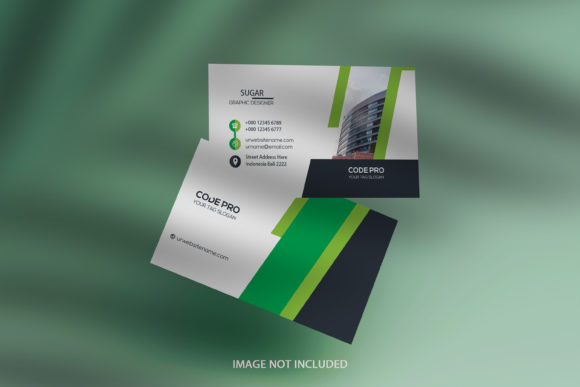
Efficiency is key in any design workflow. This mockup is designed for seamless integration, featuring a layered Photoshop PSD file with a smart-object layer. This means you can insert your image in seconds: simply double-click the smart object thumbnail, paste your artwork, save, and watch it automatically adjust to the perfect shape and ratio. This eliminates tedious manual resizing and distortion, ensuring your designs look flawless. The high-resolution file (above 3000×2000 pixels RGB) guarantees your visuals remain sharp and professional for any application, from web to large-format print.
Tips for Effective Use
To get the most out of this creative asset, consider these design principles:
- Maintain Visual Hierarchy: Ensure your core artwork or logo is the focal point. Use the mockup's environment to support, not compete with, your design.
- Ensure Brand Consistency: The background and setting should align with your brand's aesthetic—whether minimalist, rustic, or modern—to reinforce your overall identity.
- Focus on Readability: If your design includes text, test it on the mockup to confirm legibility against the product's texture and lighting.
Ultimately, the quality of your presentation reflects the quality of your work. Leveraging a versatile and well-crafted mockup like this one is a strategic investment in your creative output. It allows you to communicate ideas with clarity, impress stakeholders, and connect with your audience on a more tangible level, proving that thoughtful design choices are fundamental to successful visual storytelling.